

Adobe Creative Cloud All-in-One For Dummies
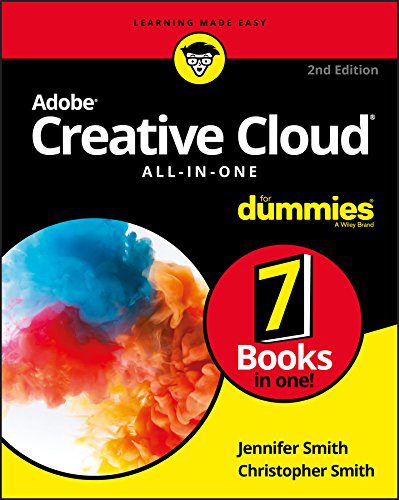


Adobe Creative Cloud All-in-One For Dummies
Book Summary
| Get ready to jump into the Creative Cloud Adobe Creative Cloud is the most popular suite of tools among creative professionals, and a valuable resource you can use to fulfill all of your design goals. Ready to get started? The only book on the market of its kind, Adobe Creative Cloud All-in-One For Dummies is written by designers for designers. It will provide you with expert instruction that spans seven mini-books, with helpful information that can grant insight regardless of your current level of knowledge. Experience with Adobe Creative Cloud is a marketable skill, and this all-in-one reference guide will help you add InDesign CC, Illustrator CC, Photoshop CC, Acrobat Pro, Adobe Bridge, and Adobe Experience Design to your resume. With more than 800 pages of content, this detailed guide will give you confidence you need to use Adobe photography and graphic design tools to edit photos, make original designs and layouts, and let your creativity shine with Adobe Creative Cloud. Learn design basics and utilize more advanced features Protect your documents with Acrobat Pro Find tips and tricks to make each program work better From 3D images and vivid illustrations to dynamic web pages and interactive effects, Adobe Creative Cloud All-in-One For Dummies shows you how to do it all! |
Language: English
Paperback:
Publisher: For Dummies; 2nd edition (2017)
ISBN-10: 9781119420
ISBN-13: 9781119420408
Genre: Educational
Condition: New
Adobe Creative Cloud All-in-One For Dummies
Adobe Creative Cloud All-in-One For Dummies Book Description
Ready to jump into Adobe Creative Cloud? This all‑in‑one guide is written by designers for designers. It covers seven mini‑books that teach InDesign CC, Illustrator CC, Photoshop CC, Acrobat Pro, Adobe Bridge, and Adobe Experience Design. Whether you are a beginner or have some experience, the step‑by‑step instructions help you master each program quickly. Over 800 pages provide clear examples, practical tips, and shortcuts that let you edit photos, create layouts, and build interactive web pages with confidence.
Readers will discover how to protect PDFs with Acrobat Pro, how to organize assets in Adobe Bridge, and how to prototype experiences in Adobe XD. Meanwhile, the book shows you how to produce 3D images, vivid illustrations, and dynamic effects across the Creative Cloud suite. Furthermore, each section includes short quizzes that reinforce learning and keep you engaged.
The guide also emphasizes real‑world projects. You will design a brand identity, retouch a portrait, and assemble a multi‑page brochure. Because the lessons build on one another, you gain a solid foundation before moving to advanced techniques. Additionally, the authors share insider tricks that professional studios use to speed up workflows.
Key Features of Adobe Creative Cloud All-in-One For Dummies
Each chapter is organized like a mini‑book, so you can focus on one application at a time. The Photoshop portion starts with basic layers and quickly moves to content‑aware fills and smart objects. The Illustrator section covers vector basics, then explores complex brushes and gradient meshes. InDesign teaches page setup, master pages, and export settings for print and digital publishing.
Acrobat Pro explains security settings, digital signatures, and how to optimize PDFs for web distribution. Adobe Bridge highlights batch renaming, metadata tagging, and preview functions that keep large libraries tidy. Adobe XD walks you through wireframing, interactive prototyping, and sharing designs with stakeholders. Moreover, the book includes cheat sheets and downloadable resource files that let you practice immediately.
Throughout the guide, the authors use plain language and plenty of screenshots. Readers can follow along on their own computers without feeling overwhelmed. The “Tips & Tricks” boxes give quick wins that improve efficiency right away.
Why Read This Book?
Many readers struggle to connect isolated tutorials into a cohesive workflow. This book solves that problem by presenting the entire Creative Cloud ecosystem in one place. It helps you add marketable skills to your résumé, whether you aim for freelance projects or a full‑time design role. Because the content is updated for the 2022 versions of the apps, you won’t waste time learning outdated features.
Students will appreciate the clear explanations that match classroom learning. Professionals enjoy the deep dives that reveal industry best practices. Also, the book’s approachable tone reduces the intimidation often felt when tackling powerful design software.
About This Book
Language: English
Publisher: For Dummies; 2nd edition (2017)
ISBN‑10: 9781119420
ISBN‑13: 9781119420408
Genre: Educational
Condition: New
For more details, visit the Goodreads page. Explore other great titles in our store through the English Books collection.
| Author |
|---|
Only logged in customers who have purchased this product may leave a review.
Product Related

Out of stock


Out of stock
EGP50.00

EGP380.00
Reviews
There are no reviews yet.